XTS – Advanced Trading Terminal
A desktop trading terminal designed for active traders
XTS is a professional-grade trading terminal designed for traders who expect speed, stability, and precision from their trading platform. Built to handle high market activity, XTS enables faster order execution, real-time market tracking, and efficient portfolio management — all from a single, powerful desktop interface.

Key Features of XTS Terminal
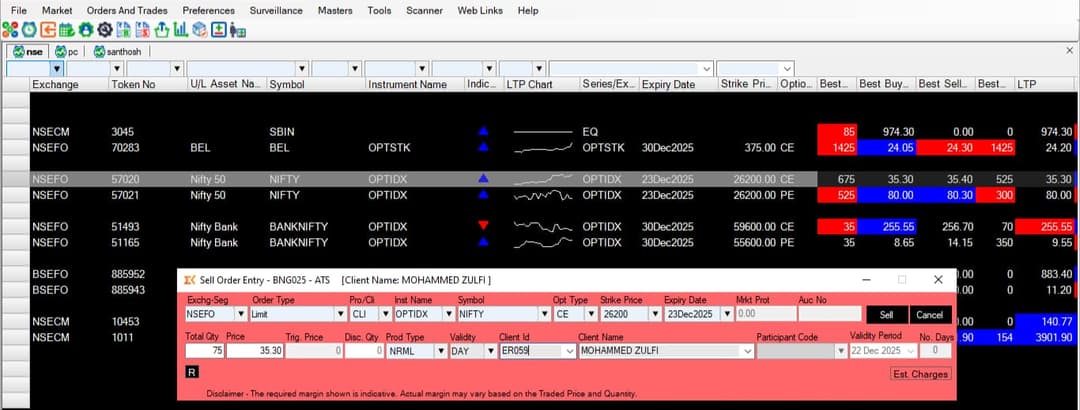
Lightning-fast order placement
XTS is built for speed. With just one click, you can buy or sell. There are keyboard shortcuts that let you place an order even quicker. This means you can enter or exit a trade almost instantly, without wasting precious seconds.
Real-time market data
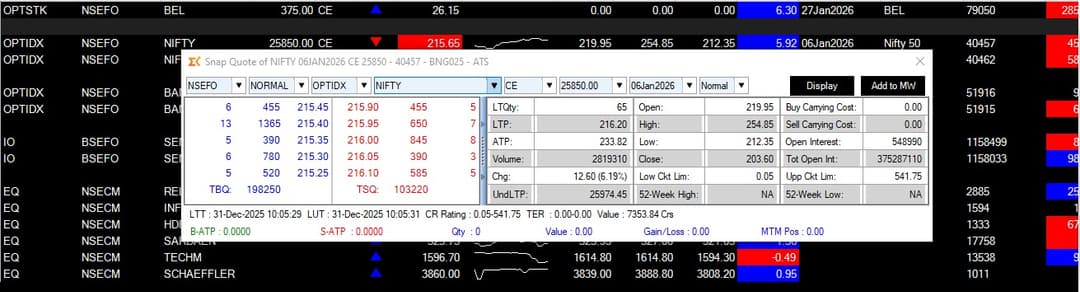
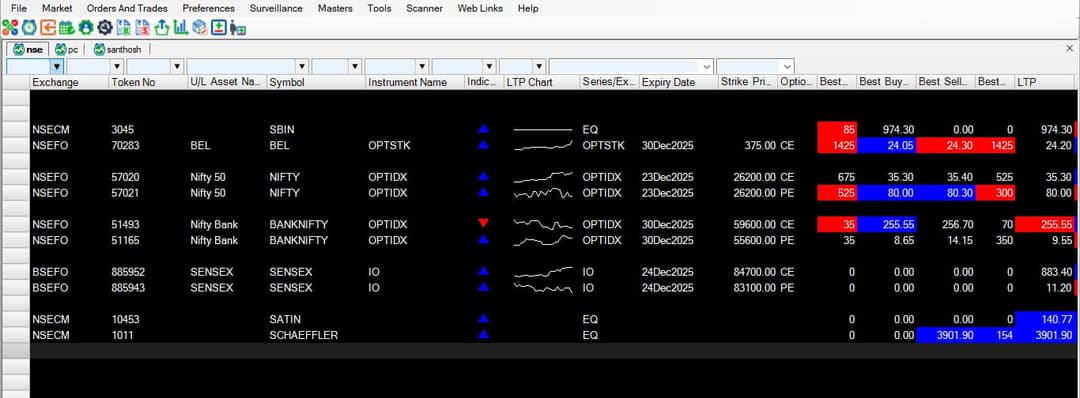
The terminal shows live quotes, depth (market depth), and a market watch across all segments (equity, F&O, currency, commodity). You can track price movements as they happen, see the best five buy and sell orders (depth), and monitor your watchlist in real-time.
Customisable layouts
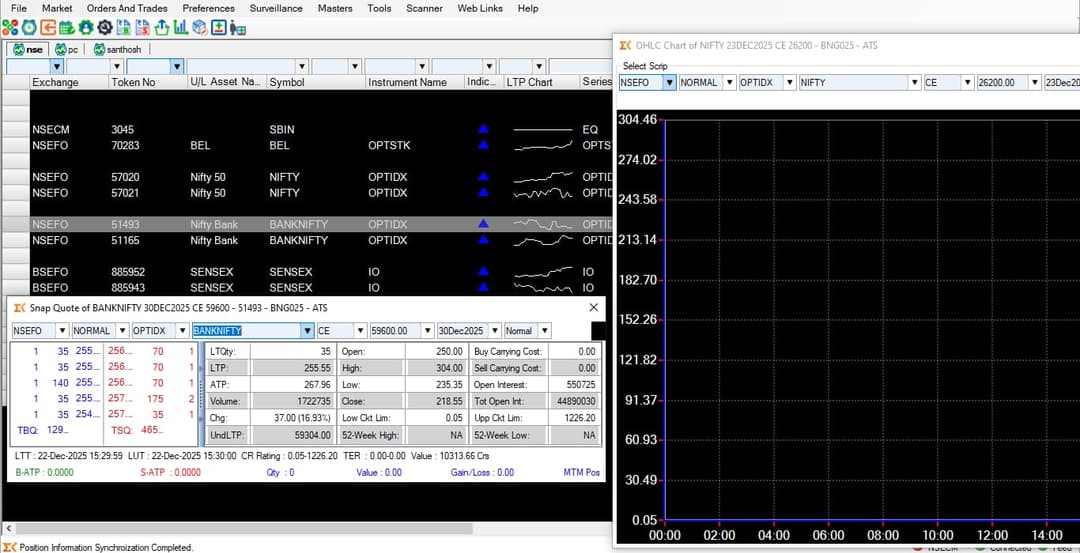
You can arrange the different windows (watchlist, charts, order book) however you like. If you prefer to see the chart on the left and the market watch on the right, you can set it up that way. You can save these layouts and switch between them for different trading styles.
Advanced charting
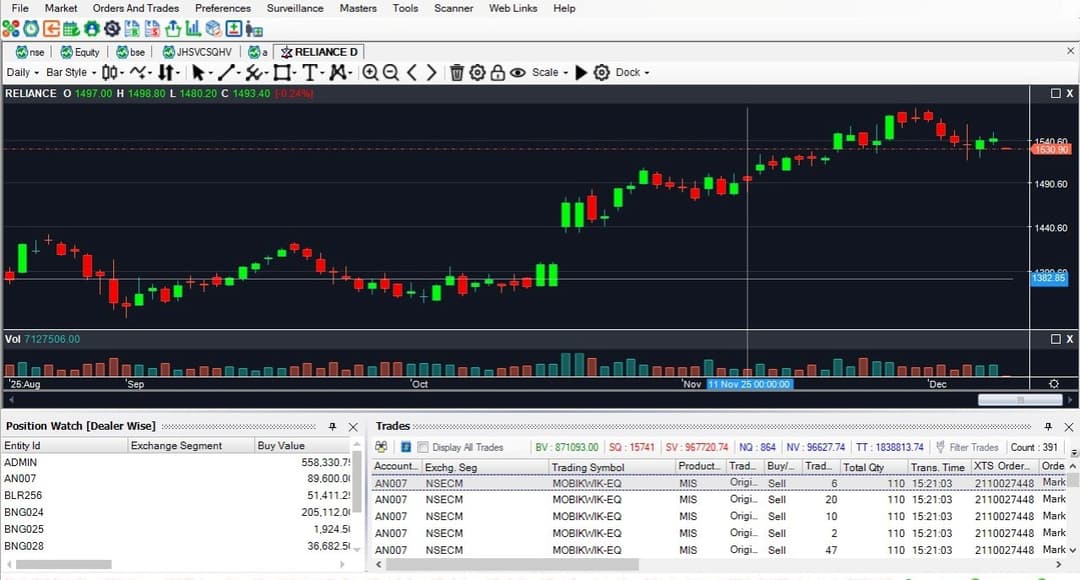
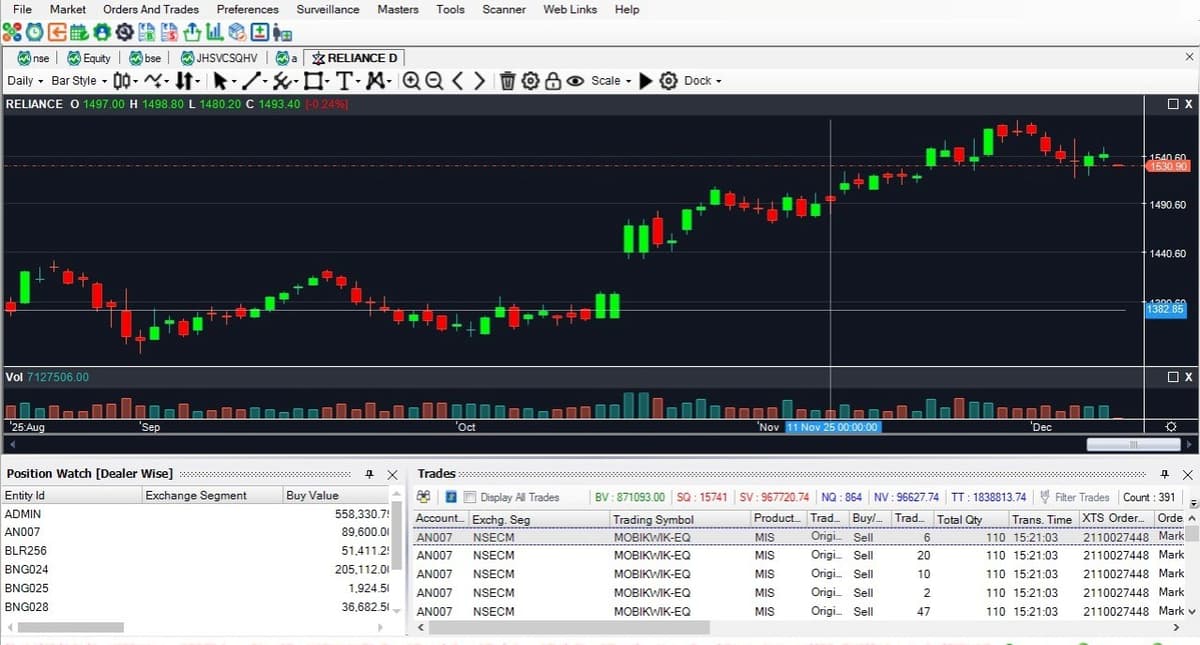
The charting tools in XTS are quite powerful. You can view multiple timeframes (from 1-minute to monthly charts), add a wide range of technical indicators (like Moving Averages, RSI, MACD), and use drawing tools to mark support/resistance levels or trends.
Single-window risk & position view
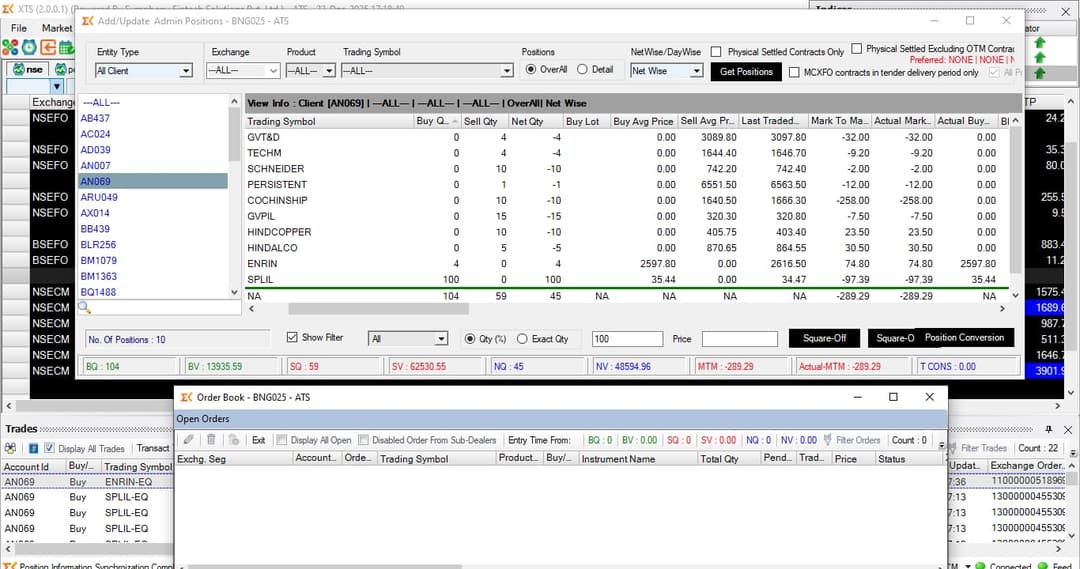
Instead of switching between multiple screens, XTS lets you see everything important in one place. You can track your Mark-to-Market (MTM) profit/loss, available margins, open positions, and pending orders on a single screen. This gives you a clear picture of your portfolio health at a glance.
Clean, intuitive home screen
The XTS home screen gives you a clear view of your trading day – market watch, orders, trades and positions neatly organised. Whether you are tracking a few stocks or an entire watchlist, you can monitor everything without clutter.
Advanced Charting Features
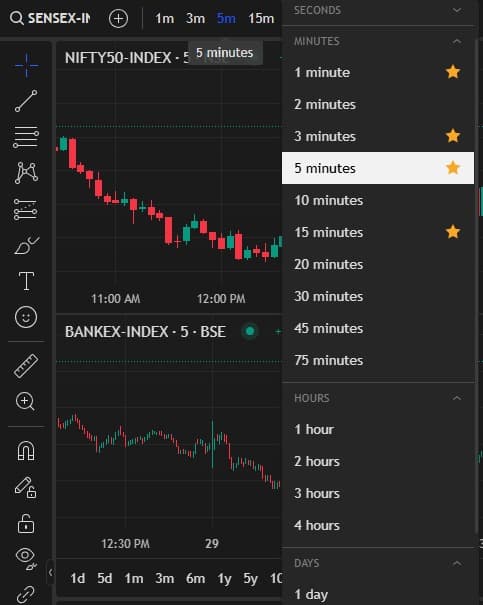
Multiple Timeframes
From tick charts to monthly views for comprehensive analysis
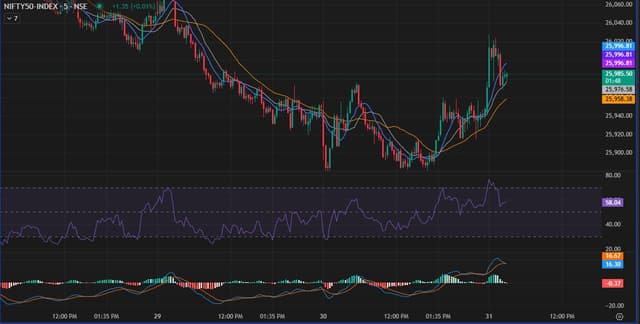
Technical Indicators
50+ built-in indicators including Moving Averages, RSI, MACD, Bollinger Bands
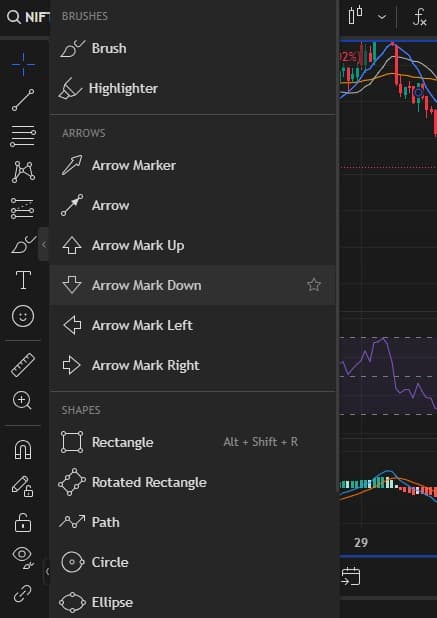
Drawing Tools
Trend lines, Fibonacci retracements, channels, and support/resistance levels
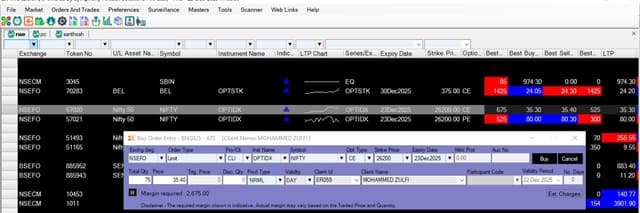
Chart Trading
Place orders directly from the chart for visual trading strategy
Powerful charting for technical traders
Analyse price action with professional-grade charts – switch timeframes, add indicators, draw support/resistance levels and place orders directly from the chart (where enabled). Perfect for intraday and swing traders who rely on technical analysis.
Download XTS Terminal
Get started with the XTS trading terminal and experience a faster way to trade.
Frequently Asked Questions
Yes, XTS Terminal is completely free to download and use for all ATS clients. There are no hidden charges or subscription fees.
XTS supports Equity, F&O (Futures & Options), Currency, and Commodity segments on both NSE and BSE exchanges.
Yes, XTS offers fully customizable layouts, watchlists, and workspace arrangements. You can save multiple workspace configurations for different trading strategies.
Yes, XTS provides real-time streaming market data for all subscribed segments with live quotes, depth, and market watch functionality.
We provide comprehensive documentation, video tutorials, and dedicated technical support to help you get the most out of XTS Terminal.
Yes, XTS supports chart trading where you can place orders directly from price levels on the chart (where enabled), making technical trading more intuitive.